
Search For The Needle Controls
Device-by-device inputs so the haystack is the challenge, not the HUD.
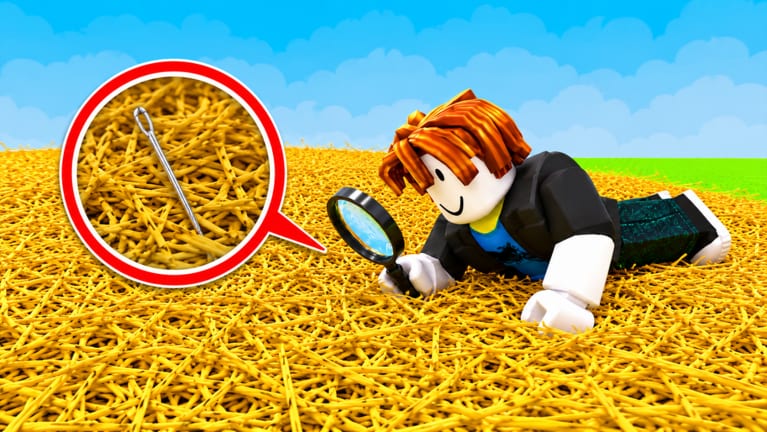
Search For The Needle uses standard Roblox movement plus a few HUD panels (shop, daily rewards, maybe codes). If those panels hide behind jump buttons, you will lose a streak and blame the needle. This page is the input sheet. Pair it with getting started for the loop and with how to find the needle for camera habits during a search block.
The experience is R15 avatars on PC, phone, tablet, and console. Sensitivity is personal. The goal is simple: look at hay, not at your thumbs.
PC keyboard and mouse
| Action | Default |
|---|---|
| Move | W A S D |
| Jump | Space |
| Camera | Right mouse drag, or camera-lock toggle |
| Collect hay | Left click / interact on the pile |
| Open shop | On-screen Shop button (HUD) |
| Daily rewards | Gift / calendar HUD button |
| Chat | / or the chat tab |
| Shift lock | Shift (if enabled in Roblox settings) |
Shift lock helps when you want the camera glued to your facing while you strafe along a pile face. If click-to-collect feels like you are fighting the camera, turn shift lock on for search blocks and off for vendor walks.
Scroll the camera out far enough to see a pocket of hay, not so far that the needle becomes a speck. Graphics quality in Roblox settings can be dropped a notch if straw density tanks the frame rate — missed clicks from lag cost more than pretty lighting.
Mobile touch
| Action | Default |
|---|---|
| Move | Left thumb stick |
| Jump | Right jump button |
| Camera | Drag on empty sky / right side |
| Collect hay | Tap the pile |
| HUD panels | Icons along the edges |
Portrait mode stacks HUD on the hay. Rotate to landscape when you search so the pile has screen space. If taps register as camera drags, use a lighter thumb on the right side and tap hay with the other hand.
Autocorrect will wreck code redeem later. Disable it before you paste a string. For Daily Rewards, the claim button can sit under the Roblox top bar — pull the panel down or rotate once.
Gamepad
| Action | Typical mapping |
|---|---|
| Move | Left stick |
| Camera | Right stick |
| Jump | A / Cross |
| Interact / collect | X / Square or RT, depending on Roblox bind |
| UI select | D-pad plus A |
Console players should open the Roblox help overlay once to confirm interact. If collect does not fire, rebind interact in Roblox settings rather than mashing every face button into the pile. UI scale in accessibility settings helps when shop rows are tiny on a television.
Camera habits that find metal
The needle is a straight silver line in yellow noise. Orbit. Do not bury the camera inside the mound. After you clear a pocket, pause movement and sweep the camera 180 degrees. Most “I walked past it” stories are camera stories.
On low-end phones, lock a stable 30 FPS instead of a choppy 60. A stable frame lets you track a glint. A stuttering frame eats clicks.
HUD checklist at spawn
- Cash counter visible.
- Shop button visible.
- Daily Rewards claimed (daily rewards).
- Chat collapsed if it covers the pile.
- Graphics high enough to tell metal from straw, low enough to stay smooth.
If the shop never appears, you may be in a broken server. Rejoin. If Daily Rewards never appear, try another device before assuming the feature is gone — updates will note a removal.
Accessibility
Roblox already offers larger UI, reduced motion, and key remaps. Use them. This hunt is a long click session; hand strain is real. Take breaks between farm blocks and search blocks. A tired hand misses the needle more often than a tired RNG.
When inputs are clean, go back to the upgrade path so each click is worth more, then run a search block. Controls cannot shrink a million hay. They can stop you from fighting the UI while you try.
Frequently Asked Questions
Quick answers to the most common Search For The Needle questions.
How do I collect hay on mobile?
Tap the pile, not the sky. Rotate to landscape if the HUD covers the straw.
Why do my clicks miss on PC?
Camera collision or low FPS. Zoom out, drop graphics one notch, and try shift lock during search blocks.
Where is the shop on console?
Open the on-screen HUD with the interact button, then select Shop with the D-pad. Raise UI scale if rows are unreadable.
Can I remap keys?
Yes, in Roblox settings. Remap interact if collect fights with jump.